Build a Client-Ready Meta Ads Dashboard with Claude Code
Connect Meta's official Ads MCP, paste one prompt, get a branded interactive reporting dashboard — in about 10 minutes.
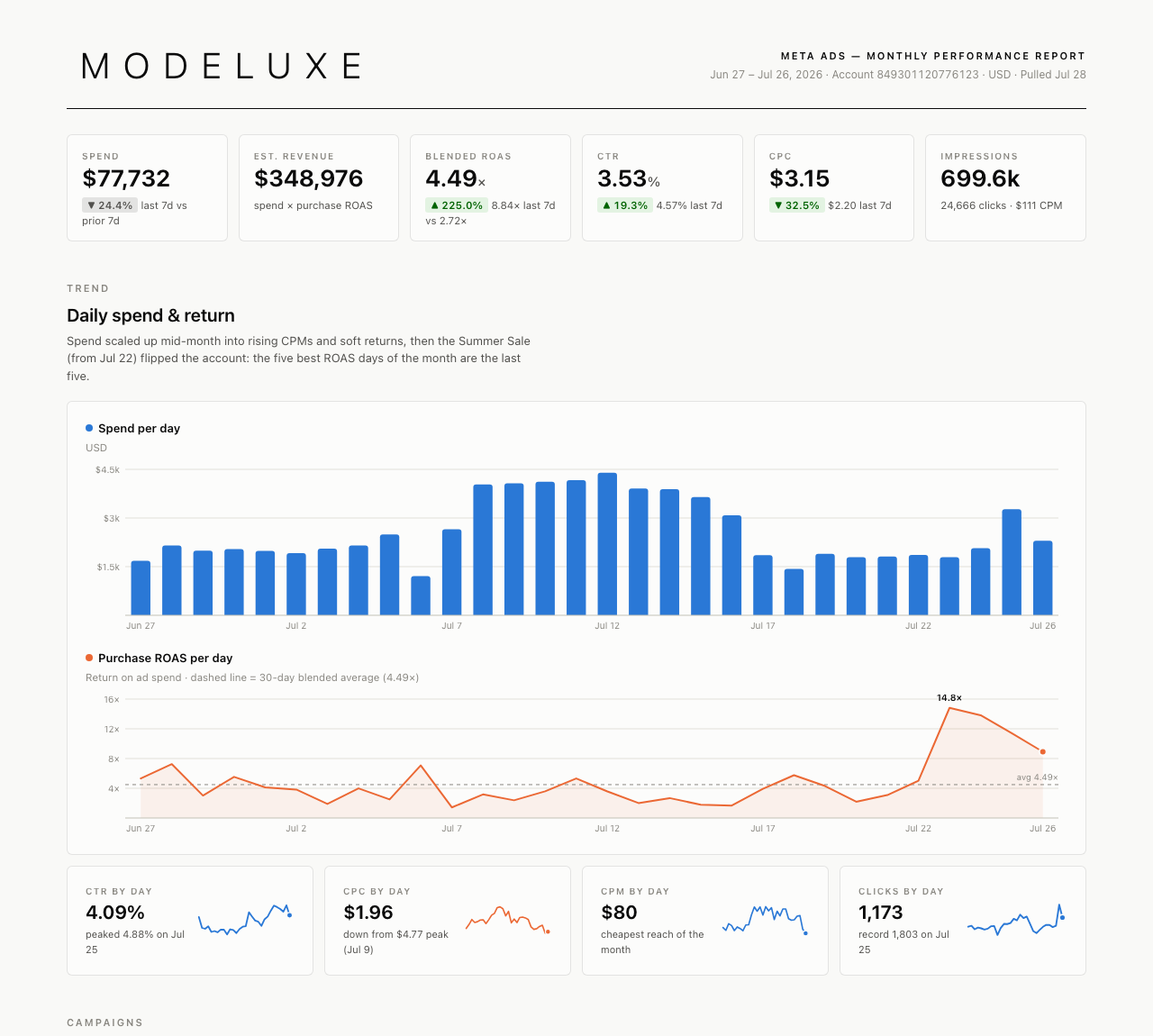
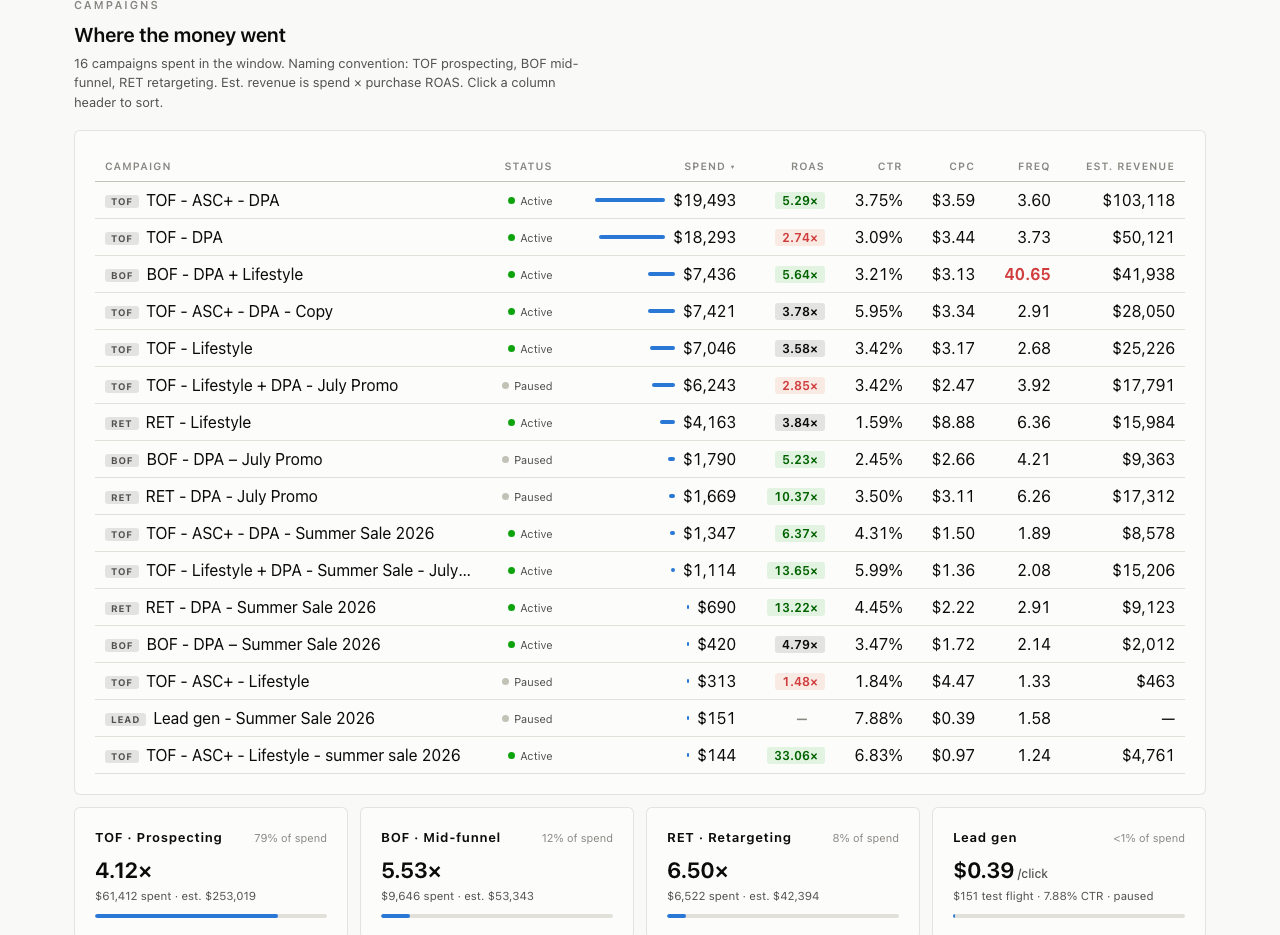
Manual Meta reporting — exports, spreadsheets, screenshots pasted into slides — quietly eats hours every week. This guide replaces all of it with one prompt: connect Meta's official Ads MCP to Claude, paste the master prompt, and get a branded, interactive dashboard you can share with clients. About 10 minutes, start to finish.
What's inside the 7-page guide
- What you'll build — with screenshots of the finished dashboard
- Prerequisites — a Claude plan and access to a Meta ad account is all it takes
- 5 setup steps: adding Meta's official Ads MCP (mcp.facebook.com/ads) as a Claude custom connector
- The complete copy-paste master prompt
- Pro tips — including how to brand the dashboard per client
- A troubleshooting table for the common snags
The workflow we actually useThis is the exact workflow Scalvo uses to build client reporting dashboards — written down step by step, for ecommerce agencies, media buyers and freelance Meta buyers.